
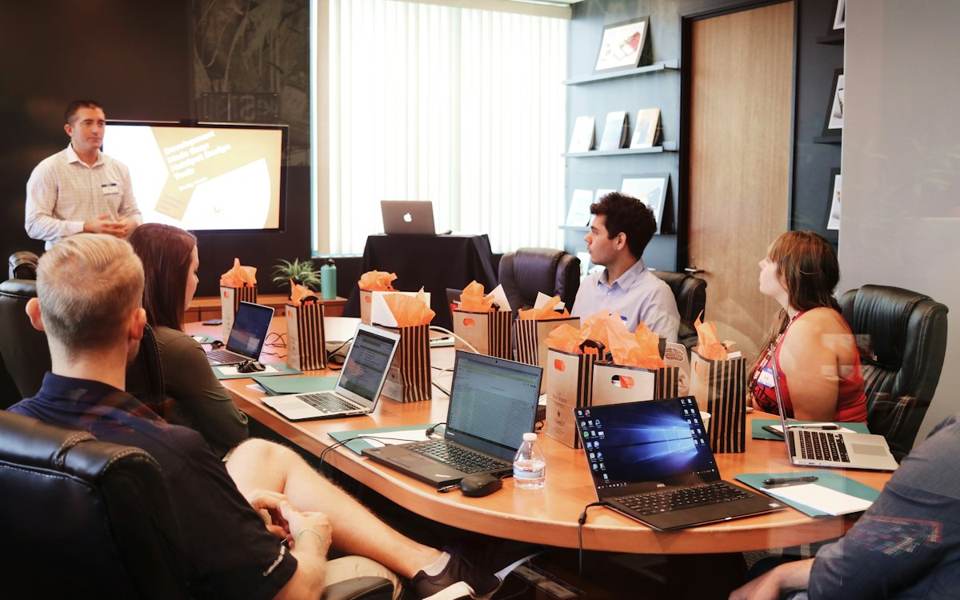
Priya Nair is an HR consultant who was asked to run a 60-minute session for 25 new managers at a mid-sized company. She knew the topic cold: how to run a first one-to-one meeting with a new team member. She built 48 slides and talked for 55 minutes, which left only 5 for questions, and nobody asked any. In the follow-up survey the most common comment was “informative,” and three weeks later only two of the 25 had held a one-to-one the way she described.
Informative does not guarantee that people remember, and remembering does not always mean they can use it. People forget most of what they only hear, but they remember what they did, what surprised them, and what they were asked to decide, and a live session is the one format where you can build all of that in.
Priya is a fictional consultant who will rebuild her session in this lesson, and the method works for a workshop, a training, a webinar, or one class in a longer course. If you are planning that longer course, how to plan your first online course pairs well with this one.
Write the learning objective in one sentence
Before any slides, write one sentence that finishes this line: “By the end of this session, you will be able to…” The verb matters. “Understand,” “appreciate,” and “be aware of” cannot be observed. “List,” “run,” “write,” “choose,” and “spot” can.
Template
Learning objective
By the end of this session, you will be able to [observable action] in [situation], using [tool, checklist, or method you will give them].
Priya’s first draft was “Managers will understand the purpose of one-to-ones.” Rewritten: “By the end of this session, you will be able to run a 30-minute first one-to-one with a new team member, using a four-part agenda and five opening questions.”
That sentence does three jobs. It tells you what to cut: if a slide does not help someone run that meeting, it goes. It tells participants what they are getting, which helps them stay with you. And it gives you something to test at the end, which we will come back to.
One objective is the right number for a session of an hour or less, and two is possible if they are closely linked, but three means you are running a mini conference and people will leave with a blur.
Work in 10-minute blocks, and use explain, show, do
Here is a rule of thumb, not a law: do not let people sit passively for more than about 10 minutes. Attention does not switch off on a timer, and a gripping story can hold a room for much longer. But in a typical session, with people half-checking their phones or their inboxes, a change of activity every 10 minutes or so keeps more of them with you. Online, shorten that, because a video call tires people faster than a room does.
The simplest structure for each block is explain, show, do.
- Explain. Give one idea in plain words. Two or three minutes at most.
- Show. Demonstrate it on a real example. Do the thing in front of them, out loud, including the awkward parts.
- Do. Ask them to try it themselves, even for 90 seconds.
The order matters because explanation without a demonstration leaves people guessing what “good” looks like, and a demonstration without practice leaves them feeling that they understood, which is not the same as being able to do it. The “do” is where memory forms.
Example
Priya’s first block, rebuilt
Explain (3 minutes): “A first one-to-one has one job: help the new person feel safe asking you things. Open with a question about them, not about their tasks.”
Show (3 minutes): Priya plays the manager and a volunteer plays the new hire. She asks, “What would make your first month a good one for you?” and then stays quiet while the volunteer answers.
Do (4 minutes): In pairs, each manager asks that question to their partner and listens without offering advice. Then they swap.
In ten minutes and three activities, every person in the room has asked the opening question out loud at least once, whereas her original slide only said “Establish psychological safety” in a nice font.
Build in interaction every few minutes
Interaction is not decoration, because every time people respond they pull the idea out of their own heads instead of just receiving it, and that is the act that makes it stick. Plan a response from the room every three to five minutes, although it does not need to be elaborate.
Here are interaction types ordered from lowest to highest effort for the participant:
- A poll or show of hands. “Who has run a one-to-one before? Hands up, or react with a thumbs-up on screen.” It takes ten seconds and tells you who is in the room.
- A chat prompt. “In the chat, type the first thing you would ask a new hire. Don’t send yet. Wait until I say go, then everyone sends at once.” The wait stops people copying the first answer they see.
- A pair task. “Turn to the person next to you and…” In an online setting, use breakout rooms of two or three for three to five minutes, with a clear task written on a slide.
- A short written answer. “Take 90 seconds and write your answer on paper, then share one word.”
- A live demo from a volunteer. The most powerful and the most nerve-wracking. Ask for volunteers in advance when you can.
Whatever you pick, give instructions in three parts: what to do, how long they have, and what happens next. “In your pairs, ask the opening question and listen without interrupting. I will tell you when to swap. Then we will hear two examples.” People relax when they know the shape of the task.
Questions that get answers
“Any questions?” fails because it asks a person to admit confusion in public, so try one of these questions instead:
- “What is one thing here you would change for your own team?”
- “Which of these two openings would you actually use? Type A or B.”
- “What would stop you from trying this on Monday?”
The last one is the most useful because it surfaces the real obstacle, which you can then deal with while everyone is still in the room.
Design a worked example and an exercise
A worked example is a complete case you walk through, showing every step and the reasoning. An exercise is a similar case the participants do themselves. The two should be close cousins: same structure, different details.
For her session, Priya needs one worked example of a good first one-to-one, and one exercise where managers plan their own. She builds both from the same four-part agenda: get to know the person, explain how you work, ask what they need, agree on next steps.
Example
Worked example and matching exercise
Demonstration by Priya: “Meet Sam, who joined as an analyst on Monday. I’d open with: ‘How has the first week felt so far?’ Then I’d explain that I check in every Thursday for 30 minutes. Then I’d ask, ‘What would help you most in the next two weeks?’ And I’d close by writing down two things I will do and one thing Sam will do.”
Exercise for participants: “Think of someone who has joined your team recently, or will soon. Write the four parts of their first one-to-one: your opening question, how you will explain your working style, one question about what they need, and the two or three next steps you will agree on, all in six minutes.”
A good exercise has four features:
- It uses real material, so people plan their own meeting, not an invented one.
- It has a clear output: people finish with something on paper.
- It has a time limit that feels slightly tight, because open-ended time becomes chatting about weekends.
- It comes with a model to compare against, so after they finish you show your own version and they can check their thinking.
Handle quiet groups and dominant participants
Every room contains both, and you can plan for them before they appear.
When the group is quiet
Silence is rarely hostility, since it usually means people are unsure what you want or afraid of being wrong in front of colleagues, so the fix is to lower the stakes.
- Move from private to shared: ask people to write an answer, then share it with a partner, then with the group. By the third step, the answer is rehearsed and much less scary.
- Count to ten silently after asking a question, which feels like a minute but gives people the time they need to think.
- Name the answer you would like: “I need two volunteers to share one idea, any idea, even half-formed.”
- Use the chat. Many people will type what they will not say aloud.
When one person dominates
The person who answers everything is usually keen, not rude, but the rest of the room goes quiet and your session turns into a conversation between two people, so try these responses in order of gentleness:
- Thank them and widen the question: “Thanks for that view. Let me hear from someone who has not spoken yet.”
- Use pair work, which gives everyone airtime at once.
- Speak to them briefly during a break: “I love your energy. Can you help me bring in the quieter voices in the second half?”
You do not need to be harsh, because a structure that gives everyone a turn solves most of the problem before it starts.
Keep slides simple
Slides are there to support what you say, not to replace it. If participants read your slide, they are not listening to you, and if you read your slide aloud, they could have read it themselves.
Three rules cover most of it:
- One idea per slide. If you need the word “and” to describe the slide, it is two slides.
- No paragraphs. A short phrase, a number, a diagram, or a single image. If it needs more than about ten words, it belongs in a handout.
- Keep task slides apart from the teaching ones. When people are doing an exercise, put the instruction and the timer on screen so they can look back at it.
Priya’s 48 slides in 60 minutes meant she was changing slides every 75 seconds, whereas her rebuilt session has 14, with several staying on screen for a full exercise. Any free presentation tool works, and so does a whiteboard.
A run of show for 60 minutes
A run of show is a minute-by-minute plan you keep beside you while you teach. It is dull to write and it will save your session, because it shows immediately when you have planned too much.
Here is Priya’s, for the one-to-one session:
| Time | Segment | What happens | Interaction |
|---|---|---|---|
| 0 to 5 | Opening | State the objective. Quick poll: who has run a one-to-one before? | Hands up or reactions |
| 5 to 15 | Block 1: Open well | Explain the opening question, demo with a volunteer, pairs practice | Pairs, 4 minutes |
| 15 to 25 | Block 2: Explain how you work | Explain, show a sample script, participants write their own | Short written answer |
| 25 to 30 | Pause | Short break or stretch, collect questions in chat | Chat |
| 30 to 40 | Block 3: Ask what they need | Explain three question types, role-play | Role-play in threes |
| 40 to 50 | Block 4: Agree next steps | Worked example, then participants draft their own plan | Individual exercise |
| 50 to 55 | Sharing | Two volunteers read their plans, group gives one piece of feedback | Volunteers and chat |
| 55 to 60 | Close | 3-question check, state the one task, say when the follow-up email arrives | Written check |
Notice what is not in it: a long speaker introduction, a recap slide, or a closing lecture. Plan 10 percent less content than feels right, because things take longer live, especially anything involving breakout rooms or volunteers.
Follow up and check whether people learned
The session does not end when the call does, because a good follow-up is the difference between “that was great” and a changed habit.
The follow-up email
Send it within 24 hours, while the session is fresh, and give it two parts: a summary and one task, not five.
Template
Follow-up email
Subject: Your one-to-one plan, and one thing to do this week
Hi everyone,
Thanks for today. Here is the short version:
- [Idea one in a single line]
- [Idea two in a single line]
- [Idea three in a single line]
Your one task this week: hold a 30-minute first one-to-one with [a new team member] using the four-part agenda. Send me one line about how it went, even if it was messy.
The agenda and the five opening questions are attached.
The summary should fit on one screen, and the task should be small enough to do in a week and specific enough that nobody has to wonder whether they did it.
A 3-question check
Measuring whether people learned does not need a test. Use three questions, asked at the end of the session or in the follow-up email:
- Recall: “Write down the four parts of a first one-to-one.” (Can they remember the structure?)
- Apply: “A new hire says ‘Everything is fine’ and nothing else. What do you ask next?” (Can they use it?)
- Commit: “What is the one thing you will do differently this week, and when?” (Will they do it?)
Compare answers to your objective. If most people cannot answer question two, your “do” step was too short or too easy, which is a valuable result because it tells you which block to rebuild next time and takes five minutes to find out.
A week later, add a short second message asking how the task went. Priya’s reply rate will not be 100 percent. Even six replies from 25 people give her real stories to improve the session and to describe it honestly to the next client.
Do this today
This takes about 40 minutes and gives you a ready plan for your next session.
- (5 minutes) Write your objective using the template. Check the verb: can you watch someone do it?
- (10 minutes) Split the session into blocks of roughly 10 minutes. For each, write one line for explain, one for show, one for do.
- (10 minutes) Fill in a run-of-show table like the one above. If the total goes past your time, cut a block rather than planning to talk faster.
- (5 minutes) Mark an interaction in every block. Pick from the list: poll, chat prompt, pairs, written answer, volunteer.
- (10 minutes) Draft your three check questions and your follow-up email. Save them now, since you will not feel like writing them after the session.
For more structure on turning your knowledge into something teachable, the free course is a good next stop.
Questions people ask
How long should a live session be?
Sixty to ninety minutes works for most topics, and anything longer needs a proper break every hour. If you can teach your objective in 45 minutes, do not stretch it to fill the time.
What if I run out of time?
Cut the lowest-priority block, never the exercises or the close. If you must drop something, drop explanation, since participants can read that later. Participants need the practice more than they need your extra slides.
What if technology fails?
Have a low-tech fallback: keep your slides as a PDF you can send, a printed handout for in-person sessions, and a chat message ready that tells people where to find the materials. A session that runs on a phone hotspot and a shared document is still a session.
How many participants is too many for interaction?
Pair work and chat scale well up to a few dozen. Beyond that, personal feedback becomes hard. Larger groups can use breakout rooms, small tables, or a second facilitator, but the session should be planned for that size from the start.